See the pipeline GitLab will run, before you push.
Prerun for GitLab reads .gitlab-ci.yml and everything it includes, and shows you the configuration GitLab will actually run: merged, linted and simulated, offline, inside IntelliJ IDEA and the other JetBrains IDEs.
Get it on JetBrains Marketplace or in the IDE: Settings → Plugins → search “Prerun”
- rule 1if:
$CI_MERGE_REQUEST_LABELS =~ /run-e2e/false - rule 2if:
$CI_COMMIT_BRANCH == $CI_DEFAULT_BRANCHfalse - rule 3changes:
e2e/**/*matched
when: manual, allow_failure: trueThe commits you no longer need to push
- “Will this job run on my merge request?”
- Pick the trigger, branch, changed files and variables. The rules simulator lists every job’s outcome and the exact rule, with the values it compared, that decided it.
- “Where did this line come from?”
- Merged YAML resolves
include:,extends:,!reference, anchors and<<merge keys. A coloured dot beside each line names its file; click it or press F4 to jump there. - “Why didn’t deploy start on the tag?”
- The simulator catches
needson jobs that never run for that trigger, and says the pipeline would fail to be created, before GitLab does. - “Is this a typo or a keyword?”
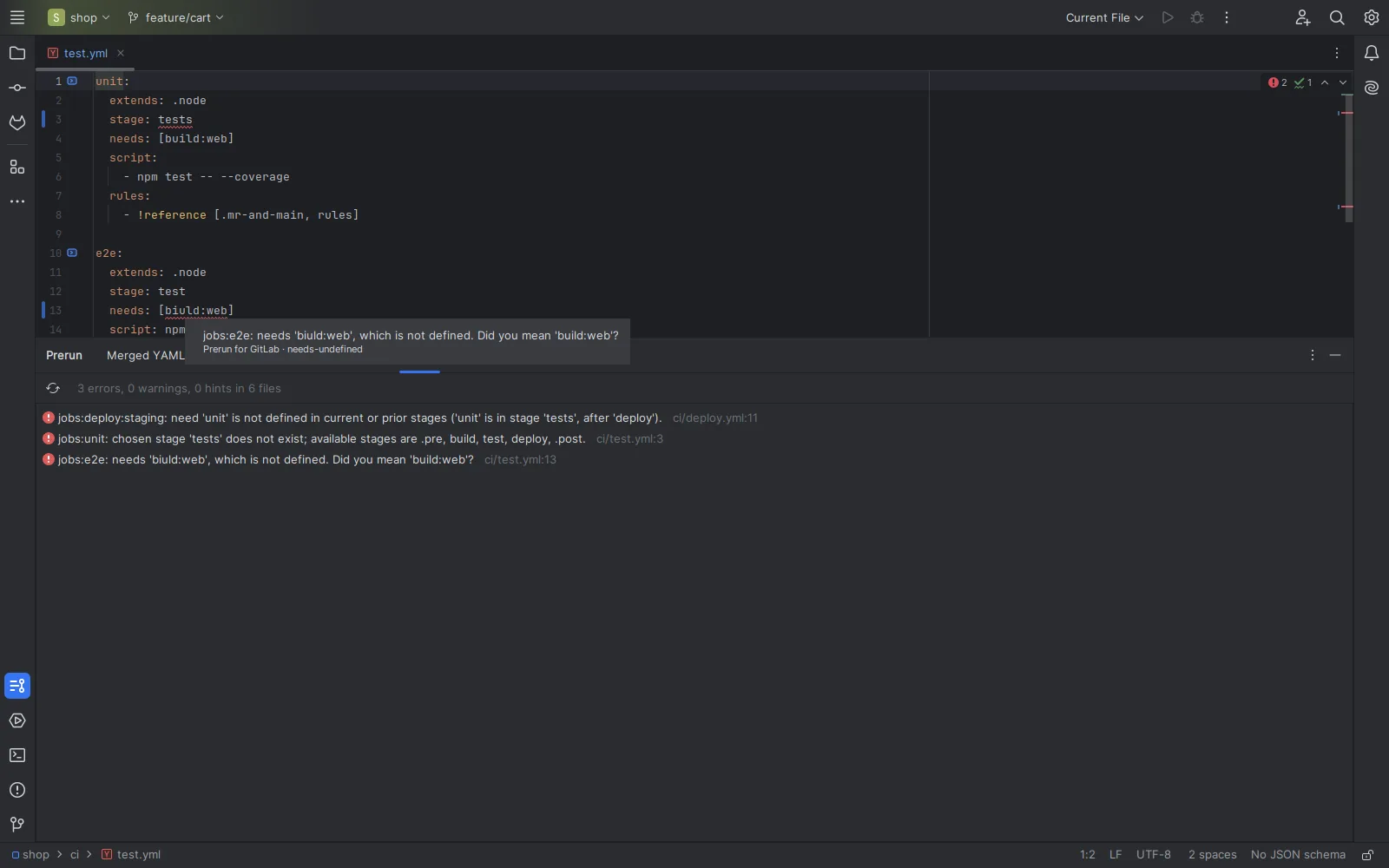
- Offline lint in the editor, for the root file and every included file: undefined stages, bad
needs, circularextends, brokenrules:ifexpressions with the column, and “did you mean”.
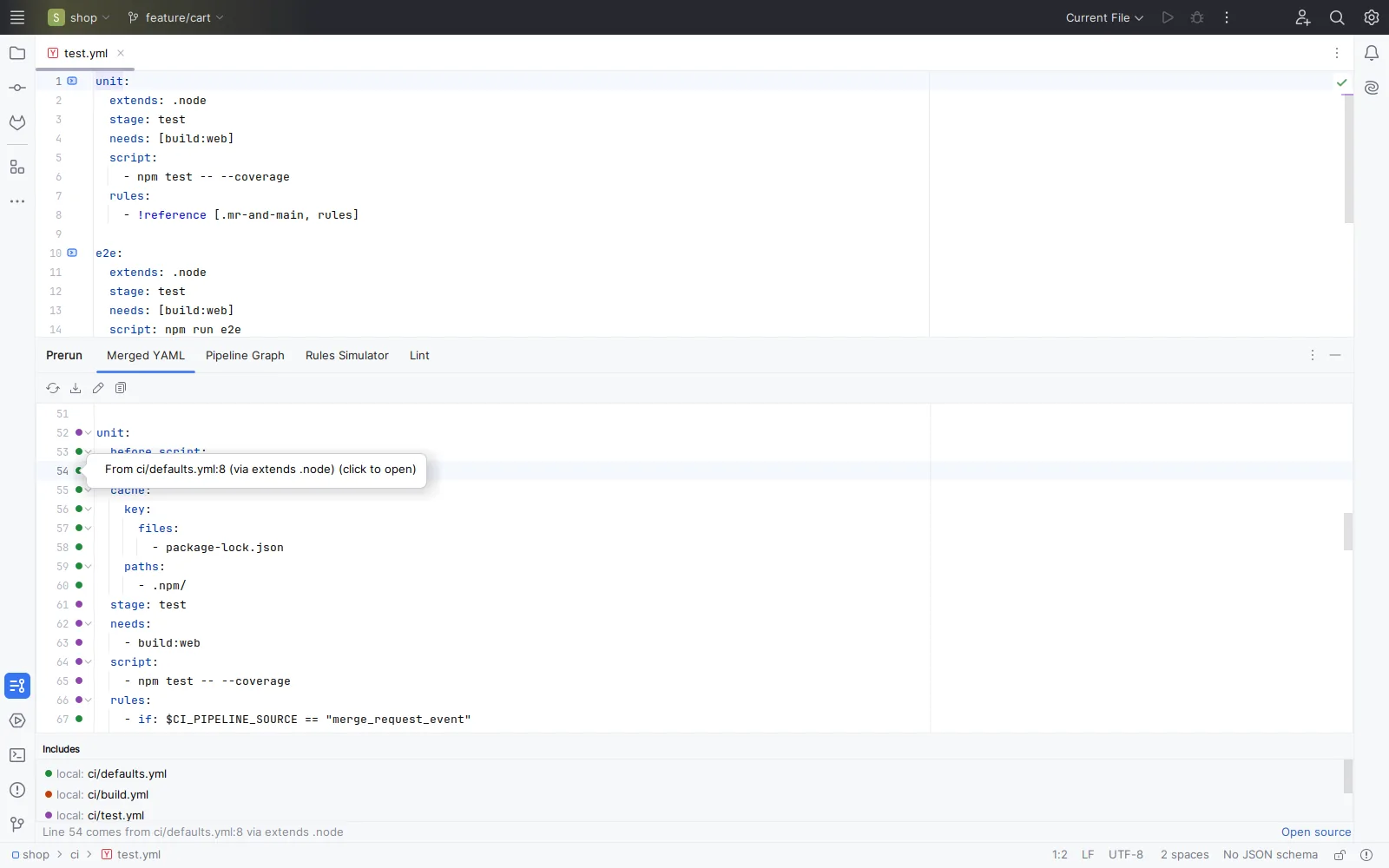
ci/defaults.yml through extends: .node, and the dot says so.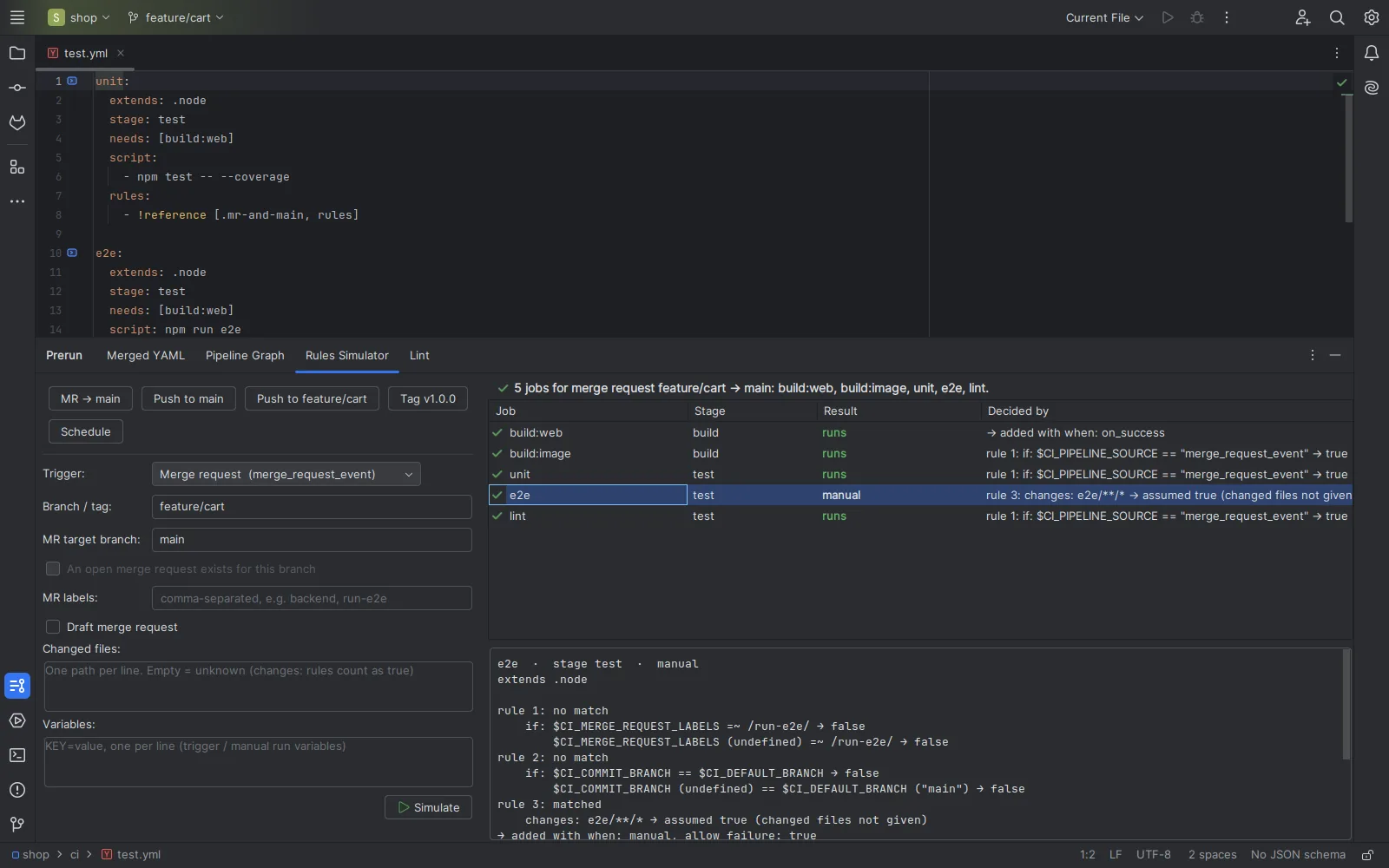
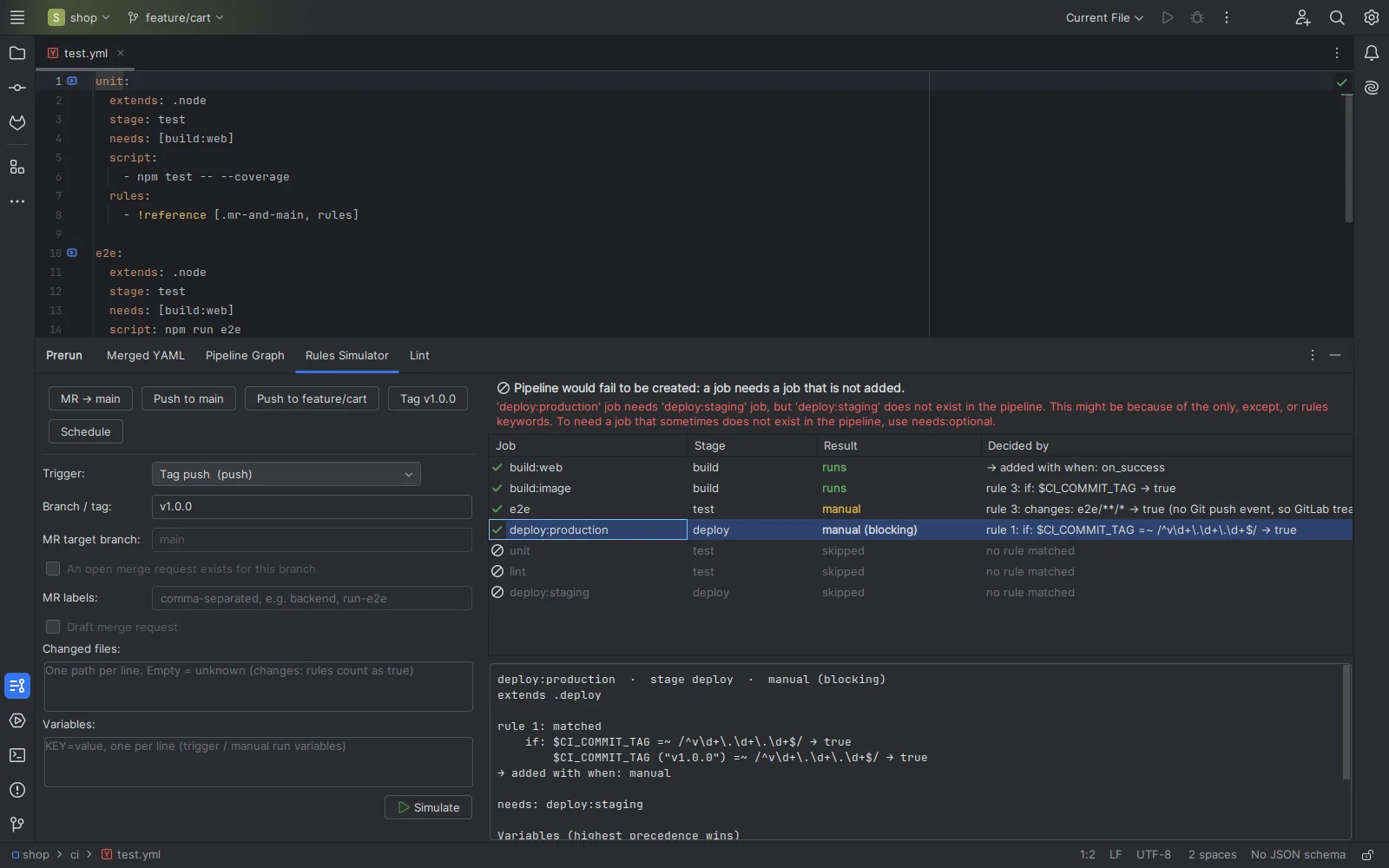
deploy:production needs a job that never runs on tags. Prerun says so before GitLab refuses the pipeline.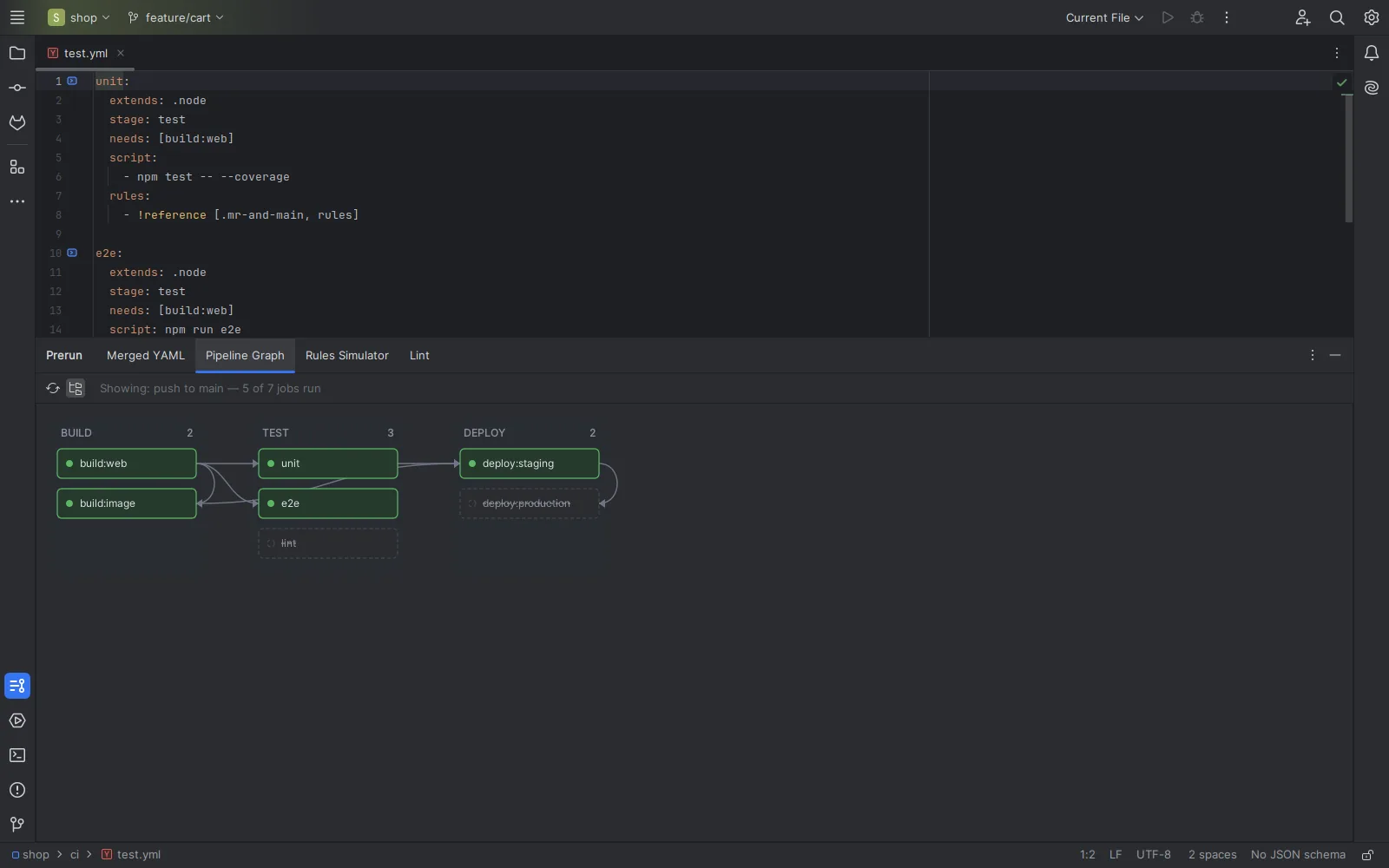
Free and Pro
Free, for anyone
- Merged YAML with the source of every line and Go to Source
- Offline lint in the editor and a Lint tab, across included files
- Job gutter icons with stage,
extendschain andneeds - Local and wildcard includes,
include:rules, CI/CD inputs, same-repository components, mapped local checkouts of other projects
Pro, licensed through JetBrains Marketplace
- Rules simulator: push, merge request, tag, schedule, web, API, trigger and parent pipelines, with explanations and final variables in precedence order
- Pipeline graph: stages as columns,
needsas arrows, the simulation overlaid - Remote includes:
remote:,template:,project:andcomponent:fetched on demand into a local cache - Private projects through a GitLab token kept in the IDE password safe
Pro prices, trials and refunds are set and handled by JetBrains Marketplace; the plugin’s Marketplace page shows the current price.
Runs on your machine
Prerun works on the files in your project, in the IDE. It sends nothing about your code, your configuration or how you use it, and has no telemetry. It touches the network only when you click Fetch for remote includes, and then only the addresses in your configuration and the GitLab instance you set, gitlab.com or self-managed. Details: privacy and licence agreement.
Where it can be wrong
Prerun predicts what GitLab will do; it is a guide, not a guarantee. The known gaps, so you can judge its answers:
rules:changescounts as true when you haven’t listed the changed files, and the result says “assumed”.- Regexes run on Java’s engine, not RE2, so patterns GitLab rejects (look-arounds) are accepted.
parallel:matrixjobs show as one job with a ×N badge.include:templatecomes from gitlab.com, which can differ from an older self-managed instance.
Requirements
IntelliJ IDEA (Community or Ultimate), PyCharm, WebStorm, GoLand and the other IntelliJ-based IDEs, version 2024.3 or newer, with the bundled YAML plugin enabled. Windows, macOS and Linux.